Introduction to Building Your Online Presence in 2026
In the digital landscape of 2026, having a professional website is no longer an optional luxury; it is a fundamental requirement for any business or personal brand. WordPress remains the world’s most popular Content Management System (CMS), powering over 45% of all websites on the internet. Whether you are launching a blog, a portfolio, or a high-end e-commerce store, learning how to create a WordPress website from scratch is the best investment you can make for your digital success.
At Soham Web Solution, we have helped countless clients navigate this journey. In this 2026 comprehensive guide, we will walk you through the exact process required to set up a robust, secure, and high-performing WordPress site without needing a degree in computer science.
Step 1: Choosing Your Domain Name and Hosting
The foundation of your website rests on two critical components: your domain name and your web hosting provider.
- Domain Name: Your domain is your address on the internet (e.g., www.yourbusiness.com). In 2026, keep it short, memorable, and preferably a .com extension to maintain professional credibility.
- Web Hosting: This is where your website files live. For 2026, prioritize hosts that offer optimized WordPress environments, NVMe storage for speed, and automated daily backups. Ensure your host supports PHP 8.4+, which is the industry standard for performance this year.
Step 2: Installing WordPress and Initial Configuration
Once your hosting account is active, most providers offer a ‘One-Click Installation’ feature. In 2026, this remains the most efficient way to get your dashboard running in under five minutes.
After installation, navigate to your admin panel (usually yourdomain.com/wp-admin). Your first order of business is cleaning up the installation: delete default ‘Hello World’ posts, update your permalink structure to ‘Post Name’ for better SEO, and set your Site Title and Tagline under Settings > General.
Step 3: Selecting a Theme and Essential Plugins
Your theme dictates the look and feel of your site. As of 2026, we recommend block-based themes (FSE – Full Site Editing) that offer faster loading times and deeper customization options. Avoid ‘bloated’ themes that require too many third-party page builders.
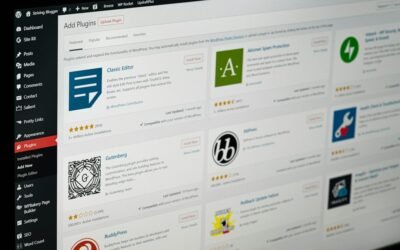
Plugins add functionality. For a 2026 setup, keep your plugin list lean to ensure maximum site speed:
- SEO: Rank Math or Yoast SEO for meta-management.
- Security: Wordfence for real-time firewall protection.
- Performance: WP Rocket or W3 Total Cache to optimize Core Web Vitals.
- Forms: WPForms or Gravity Forms for user interaction.
Step 4: Launching Your Content and Optimizing for SEO
Now that your site is built, it is time to populate it with content. In 2026, search engines prioritize high-quality, user-focused content. Use headings (H1, H2, H3) logically to help Google bots understand your page structure.
Remember to optimize your images. Use WebP formats to ensure your media doesn’t slow down your site performance. Every piece of content should be accessible on mobile devices, as mobile-first indexing is the absolute standard for 2026 search rankings.
Frequently Asked Questions
Is WordPress still the best choice for websites in 2026?
Absolutely. With continuous updates, a massive library of plugins, and unmatched flexibility, WordPress remains the most versatile platform for everything from simple blogs to complex enterprise e-commerce solutions.
Do I need to know how to code to build a WordPress site?
Not at all. While knowing PHP, CSS, or React is a huge advantage for custom development, WordPress allows you to create a professional site using visual builders and existing themes without writing a single line of code.
How long does it take to create a WordPress website?
A basic site can be set up in a few hours. However, a fully optimized, content-rich business website typically takes anywhere from two to four weeks when considering design, content creation, and technical SEO setup.
Conclusion
Creating your own website is an empowering experience. By following these steps, you have laid the groundwork for a successful online presence in 2026. However, as your business grows, you may find yourself needing custom functionality, advanced security, or bespoke design templates that go beyond standard templates.
Looking for expert WordPress Development services? Contact Soham Web Solution today and let us build something amazing together.